1 Open the Codespace

Start your GitHub Codespace before the first lab. The first setup can take several minutes—allow roughly 10 minutes and launch it early so it can finish while the workshop introduction is running.
1.1 Launch
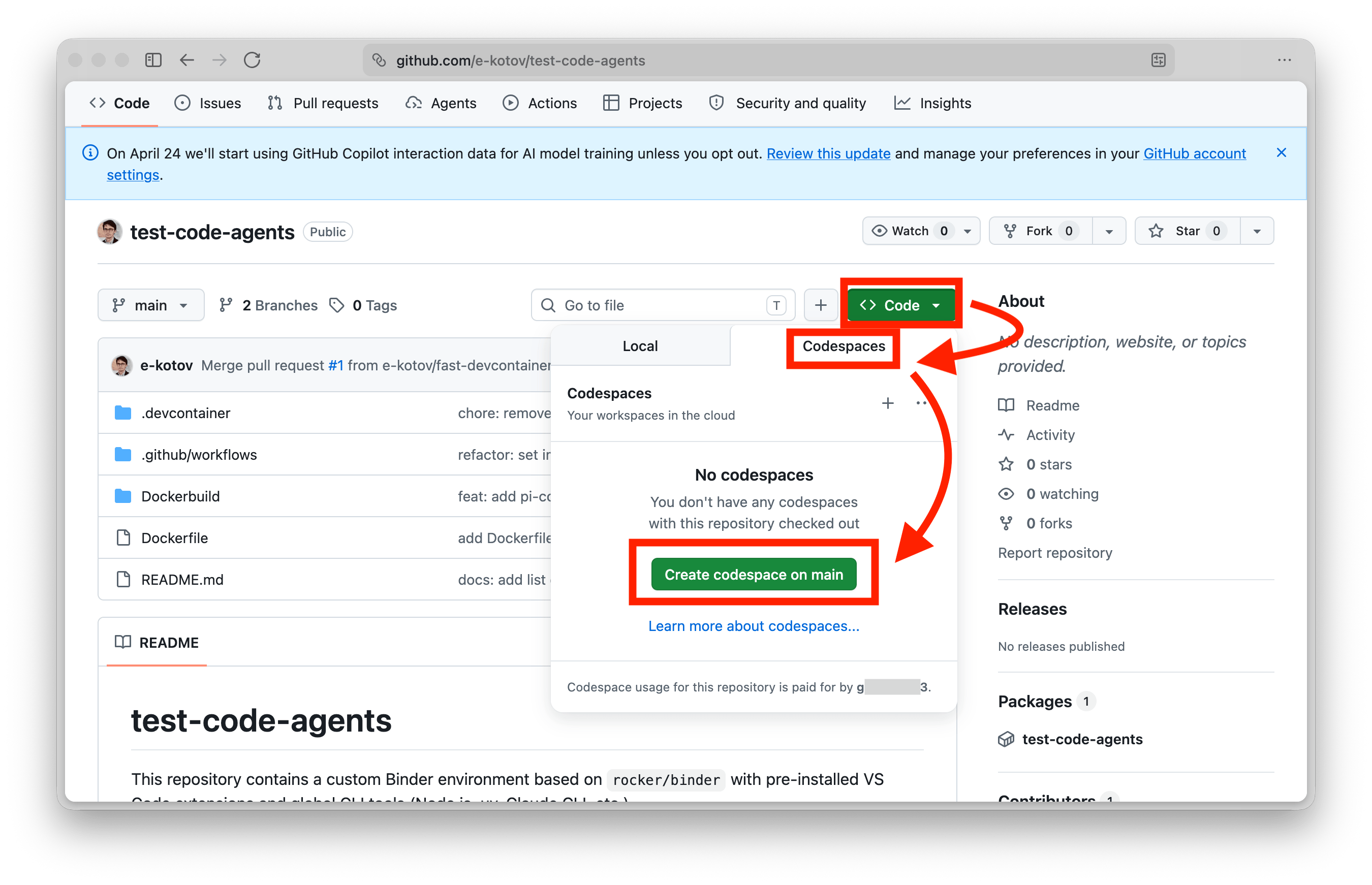
- Open the workshop repository.
- Click the green Code button.
- Select the Codespaces tab.
- Create a Codespace on the
mainbranch. - Wait for VS Code and the automatic setup to finish. Then open a terminal.
In the terminal, run:
pwd
R --version
python --version
find exercises -mindepth 2 -maxdepth 2 -name README.md -print | sort
Check that pwd ends in the workshop repository name, both version commands print a version, and the last command lists a README.md for each of Labs 1–4. If setup is still running or a check fails, wait for the notification and ask the tutor before starting an agent.
1.2 Pause and recover
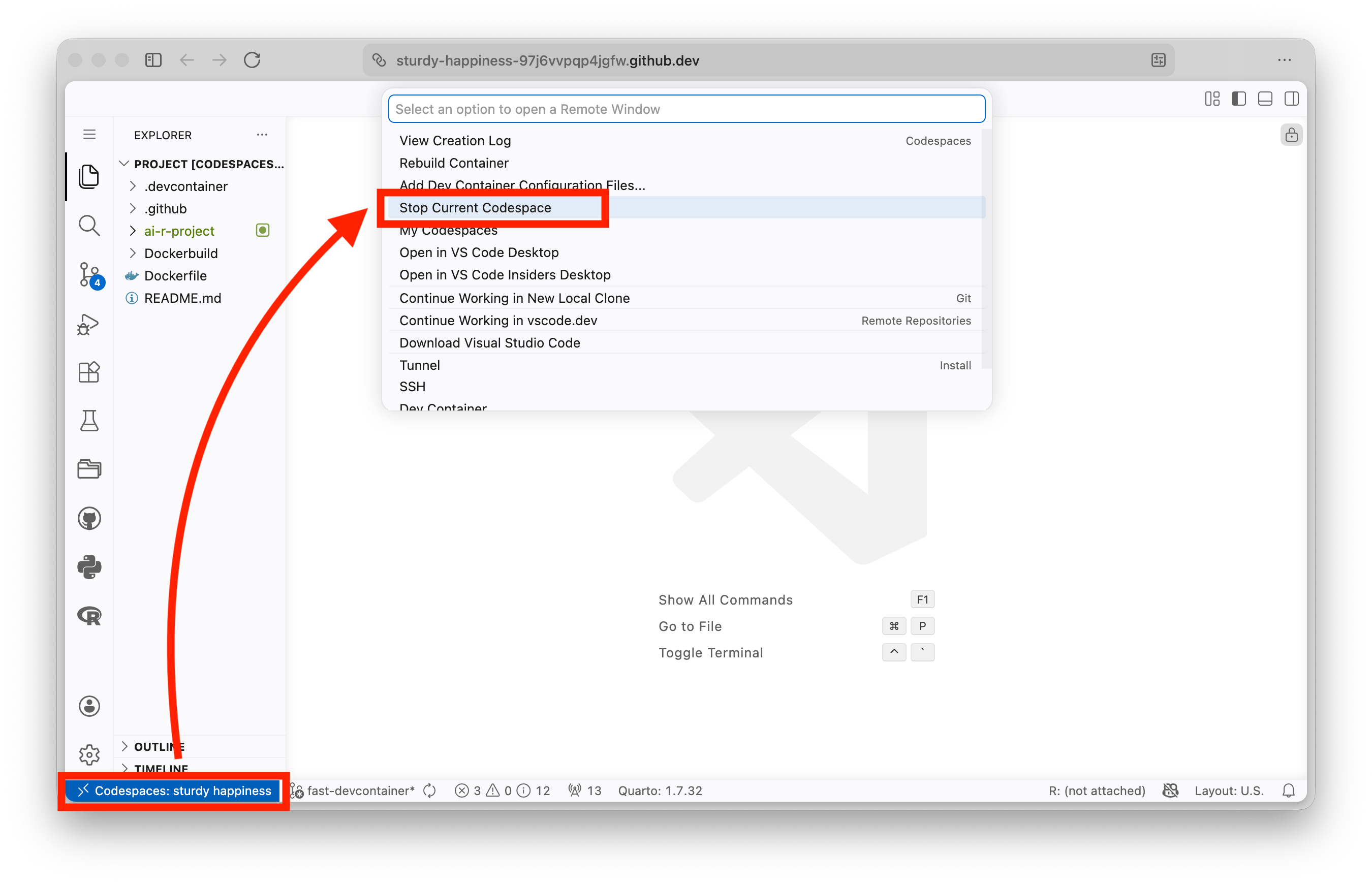
By default, a Codespace stops after 30 minutes without activity. Closing the browser tab does not stop it immediately. Stop it yourself when you finish a session.
Saved files and terminal history remain available when you restart from your Codespaces list. Running terminal commands and applications stop with the Codespace and must be restarted; the visible terminal output is not preserved. Save your work before leaving. If the build fails, save the visible error and ask the tutor. Do not add credentials to make it work.
1.3 Included usage and storage
These allowances apply to personal accounts and reset at the start of each monthly billing cycle:
| Personal plan | Compute allowance | Approximate time on a 2-core machine | Storage allowance |
|---|---|---|---|
| GitHub Free | 120 core-hours | 60 hours | 15 GB-month |
| GitHub Pro | 180 core-hours | 90 hours | 20 GB-month |
A core-hour is one processor core used for one hour. The default 2-core machine therefore consumes two core-hours per wall-clock hour. GitHub organization and enterprise plans do not automatically include these personal-account allowances; who pays depends on who owns the Codespace and the organization’s policy. Do not assume every account configuration is free.
Compute is counted while the Codespace is active. Storage accrues for as long as the Codespace exists, including while it is stopped. In your Codespaces list, open the … menu beside the Codespace and select Stop codespace after the session. When you no longer need its files, use the same menu to delete it.
- Open your GitHub billing overview while signed in.
- Select Codespaces and, if offered, View details.
- Use the Usage or Metered usage view to inspect the current billing period.
GitHub can change allowances and prices. Check the current Codespaces billing documentation and GitHub’s usage-view instructions before relying on the table.
1.4 Further reading
- GitHub Codespaces quickstart — Use this for current launch and recovery steps when the workshop screenshots no longer match the interface.
- Security in GitHub Codespaces — Read what the Codespace isolates, and what it does not; provider-bound prompts remain outside that boundary.
A Codespace separates workshop files and agents from your laptop. Your credentials (e.g. API keys, accoutn subscriptions) inside Codespace are relatively safe, but rotate any keys or passowrds after using them inside Codespace.