4 Accessing models and authenticating agents

4.1 Authenticating Agents
I suggest you start with more basic models available for free with OpenCode Zen, OpenRouter and optionally NVIDIA NIM/Build, and then try the more powerful frontier models available in Gemini CLI and Antigravity CLI.
Authenticate at least one of the services below before proceeding. Saving authenticaiton credentials in the Codespaces environment is safe, as it runs in an isolated container in the cloud and only you have access to it via your GitHub account. However, do make sure to use expiration date when setting up API keys or logout from the Google account (for Gemini models) after the workshop to avoid any potential security issues in the future. Also remember to delete the Codespace once the workshop is fully over.
4.2 OpenCode
You can just start using the OpenCode agent immediately after launch without API key, but model quoata will be small, as you are likely sharing an IP address with several other workshop participants.
Just start OpenCode in a new terminal with command:
opencode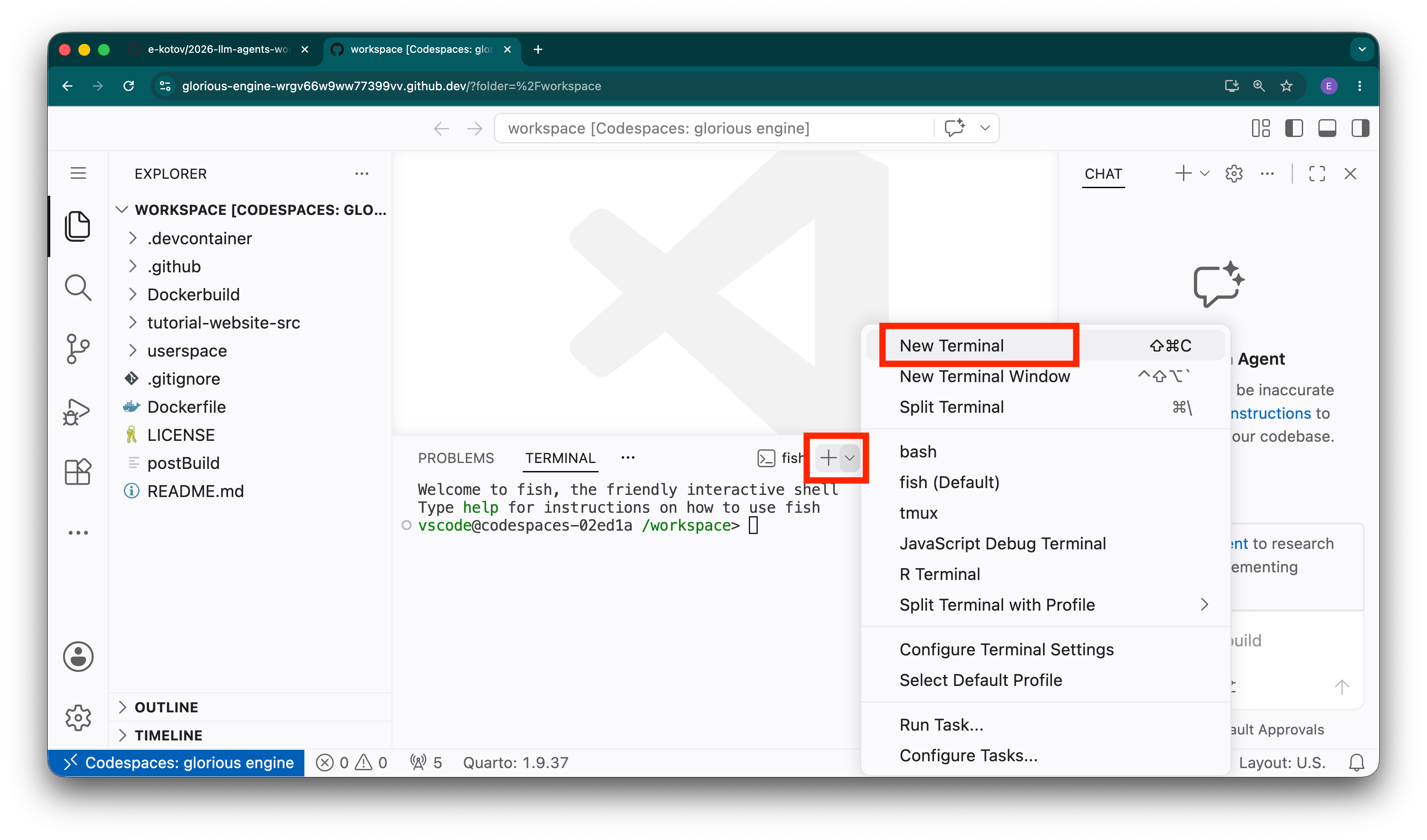
Once it starts, use /model slash-command to select a model and type free to see all available free models.
4.2.1 OpenCode Zen
OpenCode Zen (opencode.ai/zen) gives you free model access via the OpenCode agent. You can view the list of available models and details on OpenCode Zen pricing/documentation. Get a free account, generate API key and add it in OpenCode.
4.2.2 OpenRouter
OpenRouter (openrouter.ai) allows accessing a wide variety of models. You’ll need to generate a free API Key after registering, which can be used to access their catalog of free models.
4.2.3 NVIDIA NIM/Build
This is completely optional, as it takes a bit more time to setup and requires SMS verification. You are probably going to be fine with OpenCode Zen and OpenRouter free models + models in Google’s Gemini CLI and Antigravity CLI.
NVIDIA NIM/Build (build.nvidia.com) offers free preview models.
If you want to try OpenCode’s graphical user interface instead of the command line, you can launch it with opencode web command in the terminal or use OpenChamber VS Code extension.
opencode web command or OpenChamber VS Code extension.
4.3 Google
Google has two separate agents with different model access and quotas: Gemini CLI and Antigravity CLI. Gemini CLI models will be disabled for most users mid-June 2026, but you can still use it to try out the models for free. Going forward, Antigravity CLI will be the main way to access Google’s models, and it also provides a free daily quota.
4.3.1 Google Antigravity CLI
The Google Antigravity CLI (and its predecessor Gemini CLI) provides a free daily quota to test cutting-edge models (like Gemini 3.5 Flash, Gemini 3.1 Pro, and Claude models). You can authenticate it using your Google account credentials, no credit card required.
To start Antigravity CLI, in new terminal run:
agy4.3.2 Google Gemini CLI
The Google Gemini CLI is the predecessor to Antigravity CLI and provides free quota to Gemini 3 Flash, Gemini 3.1 Pro and a few other models. You can authenticate it using your Google account credentials, no credit card required.
To start Gemini CLI, in new terminal run:
gemini